
JPG to WebP Converter
Convert JPG images to WebP in seconds, right in your browser. Upload one file or many, and this free JPG to WebP converter processes them all at once.
There is no signup and no software to install. Your images are converted on your device and are never uploaded to a server.
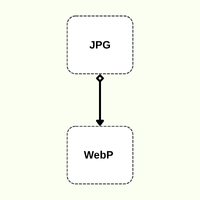
| Situation | Better Format |
|---|---|
| Website images and faster page speed | WebP |
| Reducing file size and bandwidth | WebP |
| Small images that need transparency | WebP |
| Improving Core Web Vitals scores | WebP |
| Email attachments and older software | JPG |
| Upload forms that only accept JPG | JPG |
How It works
How to Convert JPG to PNG
Upload Your JPG Images
02
Choose WebP as the Output
03
Convert and Download
Convert Multiple JPG Images to WebP at Once
Converting files one at a time is slow. This tool supports batch conversion, so you can add a whole set of JPG images and convert them together.
This helps when you are optimizing a website’s images, preparing product photos, or cleaning up a media library before launch.
What Is the Difference Between JPG and WebP?
- JPG (JPEG) is the long-standing standard. It is supported almost everywhere, but its compression is older.
- WebP was developed by Google for the web. It usually produces smaller files at similar visual quality, and it also supports transparency.
Why Convert JPG to WebP?
Faster page loading
02
Lower bandwidth and storage use
03
Better Core Web Vitals
04
Modern browser support
What to Expect When You Convert JPG to WebP
- File sizes usually shrink WebP is often noticeably smaller than a JPG of similar quality, though the exact savings depend on the image.
- Some quality loss is possibleBoth formats use lossy compression, so converting re-compresses the image. Keep the quality slider high to keep the difference minimal.
- Compatibility is slightly narrower Some older software, email clients, and upload forms do not accept WebP. Keep your original JPG as a backup.
More Than Just JPG to WebP
This converter is set up for JPG to WebP, but you can switch the output format without leaving the page.
PNG
JPG
for documents and printing
You can also upload PNG, WebP, HEIC, or PDF files if you need a different conversion.