
PNG to WEBP Converter: Free Online, Fast & No Quality Loss

PNG To WEBP Converter

Most people only notice a PNG to WEBP converter the day a page starts crawling. For me it was a client’s gallery of PNG images that made a phone choke. 
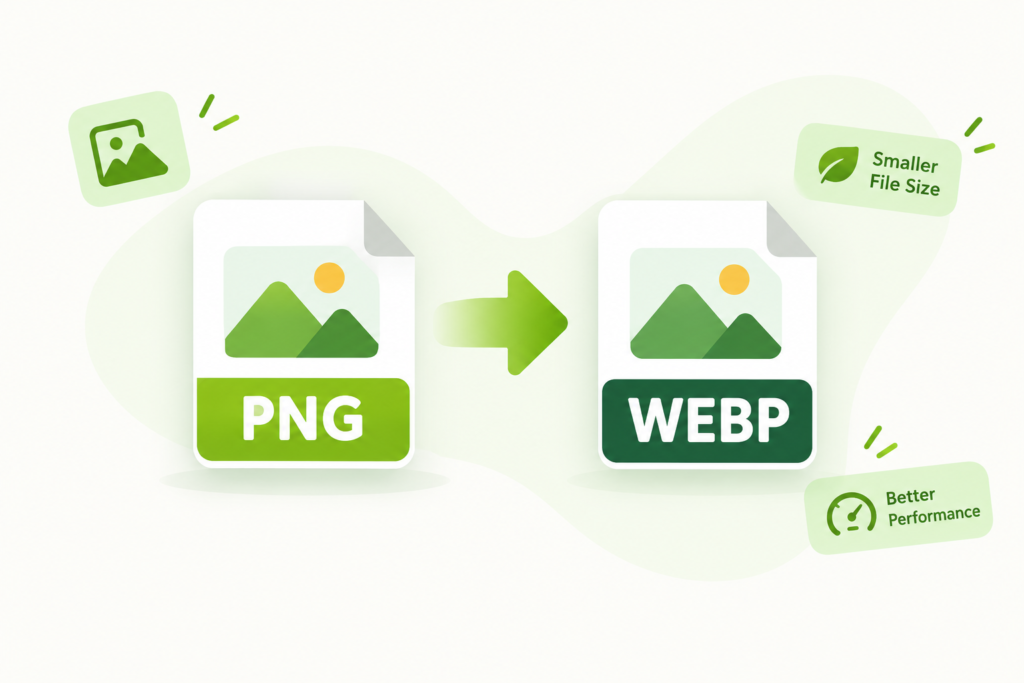
PNG to WebP Converter – illustration showing PNG image conversion to WebP format for smaller file sizes and better website performance.
PNG to WebP Converter
Drop PNG images here or click to browse your device · PNG files only
Higher quality usually means a larger file. Quality applies when converting with lossy WebP encoding.
Converted files use the .webp extension. Transparent PNG areas remain transparent in WebP.
Your images are processed locally in your browser; they are not uploaded to a conversion server.

Your images

0 files
Note: WebP encoding support depends on your browser. Keep your original PNG files if you need a lossless source copy.

AVIF vs JPG vs WebP vs PNG: Quick Comparison

Feature AVIF JPG WebP PNG
Compression Type Lossy and lossless Lossy Lossy and lossless Lossless
File Size (Photos) Smallest: 50-70% smaller than JPG Baseline Smaller than JPG, 30-50% larger than AVIF Largest
Transparency (Alpha) Yes No Yes Yes
Animation Yes No Yes Limited (APNG)
HDR / Wide Colour Gamut Yes No No No
Color Depth Up to 12-bit 8-bit 8-bit Up to 16-bit
Smooth Gradients / Textures Excellent, few visible artifacts Blocky artifacts at low quality Good Perfect (lossless)
Licensing Royalty-free Free Free Free
Browser Support Chrome, Firefox, Safari, Edge, Opera Universal All modern browsers Universal
Older Software / Email Clients Limited, use a fallback Works everywhere Partial Works everywhere
Best For Fast-loading web images and photos Maximum compatibility, printing, email Web images with broad support Logos, screenshots, sharp graphics

File size figures are approximate and vary with image content and quality settings.

What Is PNG (Portable Network Graphics)?

PNG, short for Portable Network Graphics, is older than most people assume. Every Portable Network Graphic file you open traces back to 1996. The PNG Development Group shipped the first release on 1 October 1996 as a non-patented replacement for GIF, an improved answer to licensing headaches. It is a raster-based graphic file format, so raster images and raster graphics live as pixels. They pass through a 2 stage compression built on a clever compression algorithm that ends in lossless data compression. High quality survives every save.

Transparency is the real draw. Transparent backgrounds and transparent areas stay clean on icons, graphic designs and web graphics. PNG speaks RGB and RGBA inside the RGB color model, so color images look right on screen. CMYK is off the table, though, and printing suffers. This file type also carries animations. As an open format it shows up in digital photos and web site images, where portability matters more than weight.

What Is WEBP?

Google introduced it in September 2010, built on acquired technology from On2, and the nickname “weppy” stuck. WEBP is an open-source, modern image format and a flexible file format. It is lossy when you want size and lossless compression when you want fidelity, with predictive compression doing the heavy lifting. The headline claim is images 30 percent lighter than JPEG or PNG at comparable visual quality. In my own testing the savings swing a lot by image, so treat 30 as a number to verify rather than a promise.

Webmasters and web developers care because smaller images and richer images let web pages load quickly. That keeps mobile applications snappy and makes a faster web feel real. For web use in general, and for images on the web in particular, 2010 turned out to be a quiet turning point.

How To Convert PNG To WEBP

The manual route takes 3 simple steps

The manual route takes 3 simple steps

01

Choose Files

Step 1 is to click Choose Files and select your PNG files

02

Convert

Step 2 is to start by hitting Convert to WebP

03

Download WebP

Step 3 is to watch the status flip to Done and click Download WebP

Batch Conversion / Ease Of Use

Simply upload a whole folder, press the convert button, and batch convert PNG files into the WebP format. If you would rather have PNG to WebP happen in the background, sign up for a free API. Then PNG to WEBP runs automatically every time a new set of PNG images arrives. The converter stays the same either way, and only your effort changes.

Quality Of Conversion

With no installation and no plugins, a PNG image becomes a WEBP file instantly. Good tools get there effortlessly, with no loss in quality. Under the hood, open source libraries plus custom software deliver the highest quality results. The optional Advanced Settings, behind a small icon, let you fine-tune conversion parameters. Most conversions never need them, but I like having the control.

Free & Secure / Why Choose Our Converter

Ad-free and free is a good start, but file security is what I check first. Look for 256-bit SSL encryption, a stated guarantee on privacy, and uploads that are automatically deleted after 8 hours. Files should be protected and handled securely. The work should happen inside your browser, or any web browser you like, on the fly. Developers get an API too, to automatically convert PNG images without touching a UI. That is the converter I would trust with client files.

Resize Output Image

To resize the output image, you can scale by percentage. You can also enter a width or height and let the aspect ratio hold, or enter both dimensions for an exact output size. Choose Keep original, or simply keep the original setting, and the dimensions stay unchanged.

Lossless Compression

Lossless compression is an option worth knowing. Enable it and the tool will compress the output WebP image without any quality loss. Even a tiny quality loss shows on a sharp logo.

Image Quality

The default image quality of 92 is a good balance. Lower values give better compression but lower image quality, so watch the trade.

Compression Speed

Compression speed is a dial. Lower values run faster at the expense of lower compression quality and a bigger file size. Higher values take their time to compress the image properly.

Auto Orient

Auto orient reads EXIF gravity sensor data to correctly orient the image. It saves you from sideways phone shots.

Strip Metadata

Strip metadata such as profiles, EXIF and comments to reduce size. The image looks identical.

Upload Options And File Limit

Upload from your device, Dropbox, Google Drive, OneDrive or a URL. The max file size is 1GB.

How To Open A PNG File?

Your operating system’s default image viewer handles PNG, and all web browsers show it, so a PNG is viewable almost anywhere. If something fails, PNG to JPG, PNG to BMP or PNG to WebP converters solve it. For editing, alternative programs such as GIMP or Adobe Photoshop do fine. Use caution with larger files on a web page. A PNG image with a transparent background can weigh a lot.

How To Open A WebP File?

Google Chrome is the default program in many setups and works across platforms. Other web browsers read the WebP format too. GIMP and Microsoft Paint open it natively. Pixelmator, Photopea and Corel PaintShop Pro are alternative viewers. IrfanView, Windows Photo Viewer and Adobe Photoshop each need a plugin, which is the usual cause of the “can’t open” complaints I hear.

Your Data, Our Priority

When converting files, whether image, video or document, data safety comes from a real security framework. That means advanced encryption, SSL/TLS Encryption, Secured Data Centers, Access Control and Authentication, and vigilant monitoring to protect files. Secure data centers matter more than any badge on a landing page.

Looking To Programmatically Convert PNG To WEBP?

If your PNG library lives in code rather than a folder, grab a free API key, sign up once, and convert web images programmatically.

AI-Powered Transformations

AI transformations such as Generative Fill, Generative Object Removal and Generative Replace add flexibility to content creation. They let you customize images and enhance them far beyond a simple swap.

Image Enhancement

Image enhancement APIs span a wide spectrum of features, including 3D animations, interactive product displays and real time filtering. Developers can even rescue older images.

Performance Optimization

Automatic optimization picks the most efficient format for each device, browser and connection. The best quality is delivered, whether that is WEBP or PNG.

Workflow Automation

Automated workflows built on preset configurations save time. Files are transformed after upload and ready to deliver.

Image Formats Versatility

Beyond PNG and WEBP, cutting edge formats like AVIF, JPEG-XL and HEIC put visual assets in front of people with better quality and efficiency.

How To Batch-Convert PNG To WEBP?

There are 4 steps. Gather your PNG images, then upload them by drag and drop into a batch conversion tool, a piece of software that supports PNG to WEBP conversion. Choose WEBP as the output format and start the conversion. Then download the converted images to your device. To streamline further, sign up for an API that handles any format automatically. Your conversions then run without you, and the batch conversion process fades into the background. Steps 1, 2 and 3 become one scheduled job, and step 4 happens on its own.

How Can I Further Optimize PNG And WEBP For The Web?

Web optimization starts with next-generation image formats. Superior compression over traditional formats means faster loading times, a better user experience and lower bandwidth costs. It also helps SEO rankings, largely through Core Web Vitals such as LCP, short for Largest Contentful Paint. Use image compression tools or services to strip unnecessary metadata and tune quality levels and dimensions for screen resolutions. That keeps file sizes minimized without costing visual clarity or visual quality.

Responsive image techniques, especially the srcset attribute, serve an efficient image size to different devices. Websites also move between formats freely: JPG to WEBP, JPG to AVIF, WEBP to PNG and PNG to AVIF. That keeps everything optimized. 

Which Tools Should I Use If I Need To Change PNG Or WEBP To A Different One?

Format conversion goes both ways: WEBP to AVIF, WEBP to GIF and PNG to GIF. For videos there are MOV to MP4 and MP4 to WEBM. These converters help optimize images for the modern web with the right balance of file size and visual quality. For storage, delivery and optimization, Image Upload lets you drag and drop files in to manage images. Image to Link generates a URL you can share. To automate the rest, sign up for the API and drive it programmatically.